> ## Documentation Index
> Fetch the complete documentation index at: https://docs.alginte.com/llms.txt
> Use this file to discover all available pages before exploring further.
# Brokers
> The cluster's nodes: controller, version, per-broker configuration, and what lives on each node.
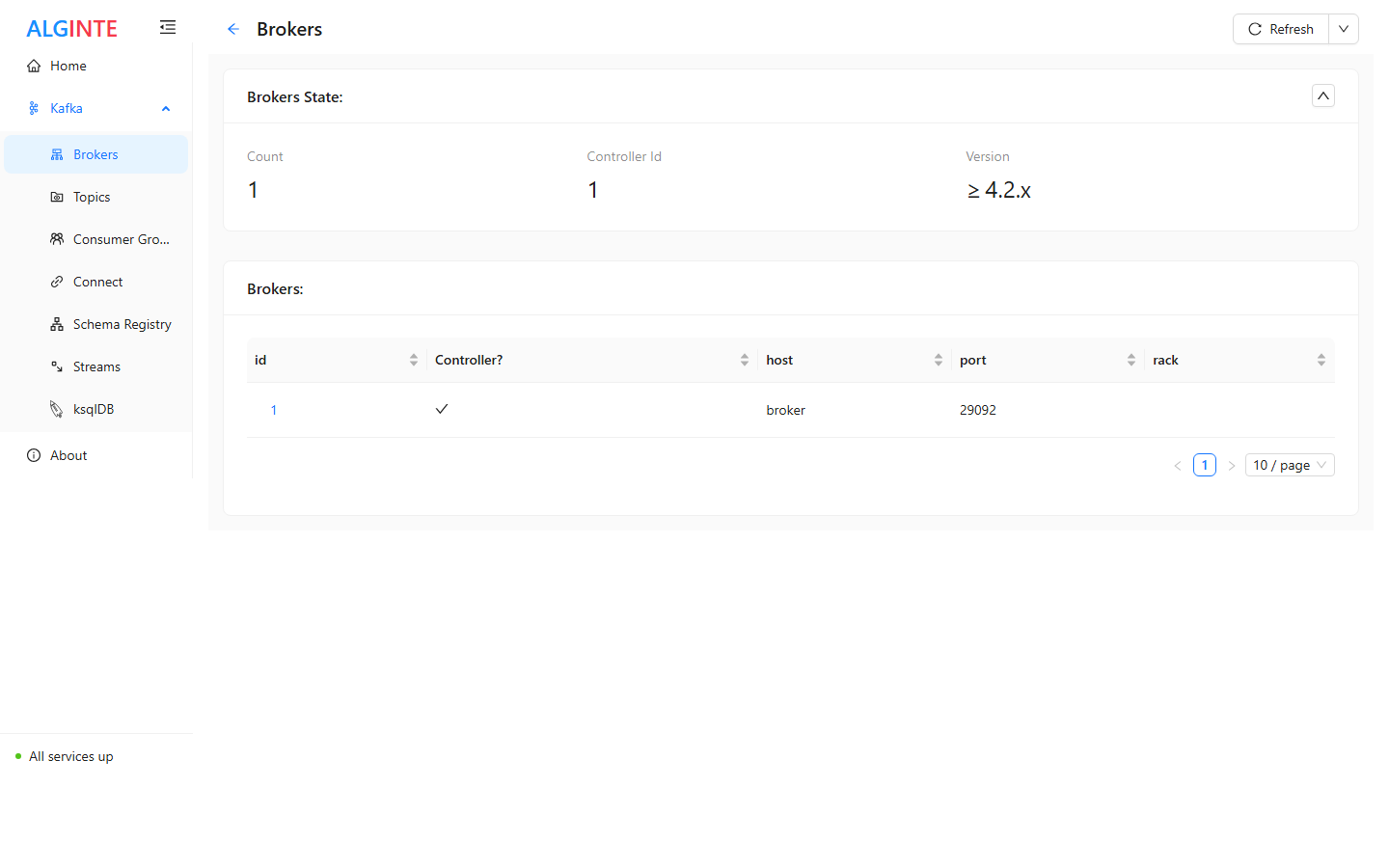
The **Brokers** page shows the cluster at a glance: a state card (broker
count, controller id, protocol version) and a table of every broker — id,
controller flag, host, port, rack — each row linking to the broker's detail
page.
 There is deliberately **no create action** here: brokers are a
cluster-managed resource — you add nodes by operating Kafka, not from a UI.
## The broker detail page
Three tabs:
* **Info** — the broker's identity and role (id, host, port, rack,
controller status).
* **Config** — the broker's effective configuration, searchable — the place
to answer "what is `log.retention.hours` *actually* set to on this node?".
* **Topics/Partitions** — which partitions this broker hosts and its role
for each (leader or replica) — the view you want when asking **"what lives
on this node?"**.
## Triage: from a red flag to a broker
The [Overview dashboard](/guides/at-a-glance#the-overview-dashboard)'s
red-flag columns often end here: a non-zero *URP* (under-replicated
partitions) or *Offline* count means some broker isn't holding its share.
Check which broker is missing from the affected partitions' ISR on the
topic's [Partitions tab](/guides/topics#the-topic-detail-page), then open
that broker's **Topics/Partitions** tab to see the blast radius of the node.
There is deliberately **no create action** here: brokers are a
cluster-managed resource — you add nodes by operating Kafka, not from a UI.
## The broker detail page
Three tabs:
* **Info** — the broker's identity and role (id, host, port, rack,
controller status).
* **Config** — the broker's effective configuration, searchable — the place
to answer "what is `log.retention.hours` *actually* set to on this node?".
* **Topics/Partitions** — which partitions this broker hosts and its role
for each (leader or replica) — the view you want when asking **"what lives
on this node?"**.
## Triage: from a red flag to a broker
The [Overview dashboard](/guides/at-a-glance#the-overview-dashboard)'s
red-flag columns often end here: a non-zero *URP* (under-replicated
partitions) or *Offline* count means some broker isn't holding its share.
Check which broker is missing from the affected partitions' ISR on the
topic's [Partitions tab](/guides/topics#the-topic-detail-page), then open
that broker's **Topics/Partitions** tab to see the blast radius of the node.