
The detail page
The info card summarizes the group: state (stable, empty, dead, …),
the coordinator broker, the partition assignor, and the count of
assigned topics and partitions. Below it, two tabs:
- Members — every active member with its client id, consumer id, group instance id, and host. Expand a member row to see exactly which topic-partitions it holds; topic names link straight to the topic’s detail page.
- Offsets — one row per partition the group has committed for:
Lag is computed server-side per row; a committed offset past the log end
shows as negative lag rather than being hidden — that’s a signal worth
investigating, not clamping.
On a compacted topic, lag overstates the work remaining: it counts
offsets, and compaction leaves gaps where superseded records used to be. A
group can report lag it will never actually process. Same arithmetic, same
caveat, in every Kafka tool — see
compacted topics.
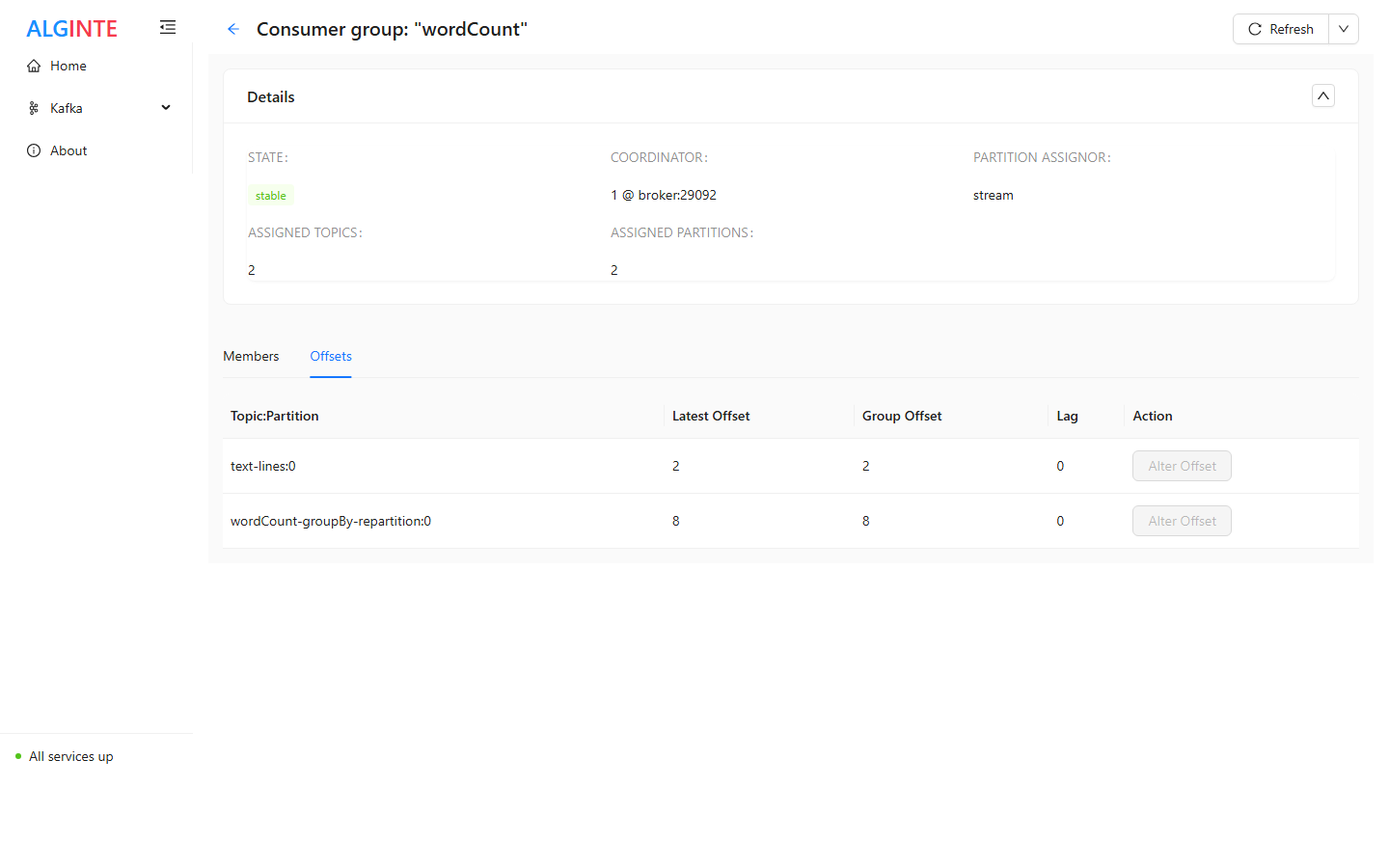
A stream's consumer group: per-partition offsets and lag. Alter Offset is disabled while the group is active.
Resetting offsets (replay or skip)
Each Offsets row has an Alter Offset action:- It’s enabled only while the group is empty (no active members). Kafka rejects offset changes for a live group — stop the consumers first; the disabled button’s tooltip says exactly that.
- Click it and pick the target with a slider bounded from 0 to the partition’s latest offset — seek backwards to replay records, or forwards to skip past them.
- Confirm. The new committed offset shown back to you is read back from the broker — what was actually recorded, not an echo of your request — and the table refreshes.
Resetting an offset changes where the group resumes — it never deletes or
alters the records themselves. Replays re-deliver; make sure your consumers
are idempotent or expecting it.
Typical workflows
- “Is my consumer keeping up?” — open the group, read the Lag column; expand Members to see which instance owns a hot partition.
- “Replay yesterday’s records” — stop the consumers (group state becomes Empty), find the target offset on the topic’s Messages tab with the Before seek, alter the offset down to it, restart the consumers.
- “Skip a poison message” — stop the consumers, alter the stuck partition’s offset one past the bad record, restart.