
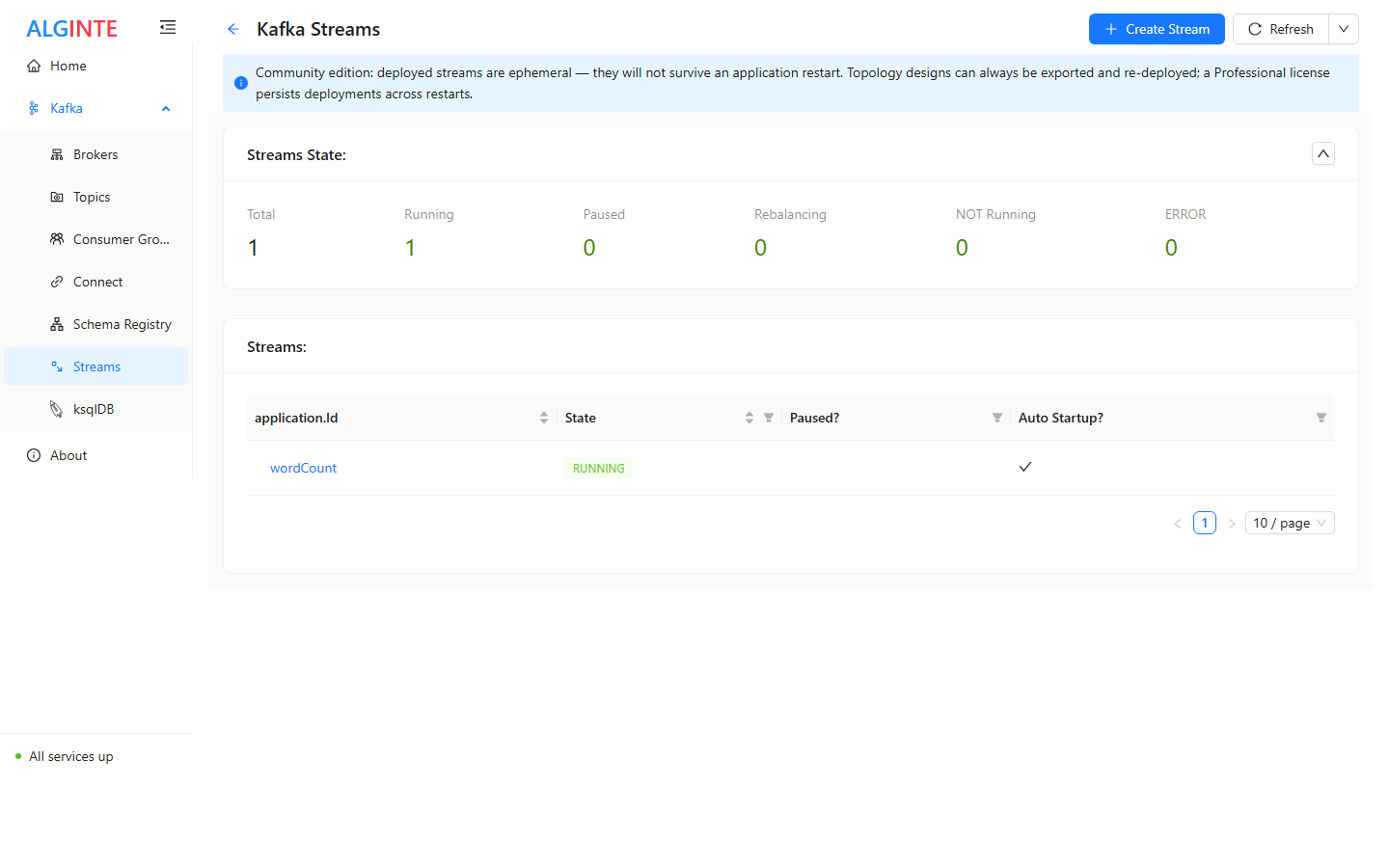
The Streams page: deployed streams with their state — and the Community edition's ephemeral notice.
The building blocks
- Sources read from topics — as a KStream (record stream), KTable (changelog view), or GlobalKTable (fully replicated table for joins).
- Processors transform the flow. The palette covers the Kafka Streams operator set: map / mapValues / flatMap / flatMapValues, filter, selectKey, peek / foreach / print, merge, broadcast / split (branching), repartition, grouping (groupBy / groupByKey), stateful aggregation (aggregate, reduce, count, cogroup), windowing (time and session windows, suppress), and joins (stream–stream, stream–table, foreign-key) — with materialize for named state stores.
- Sinks write the result to a topic.
The wizard
Creating a stream is a three-step wizard:- Stream Properties — the
application.id(the stream’s durable identity), serde defaults, and any Kafka Streams configuration you want to set explicitly. - Stream Flow — the canvas. Add nodes, connect them, configure each node in its drawer. Validation runs as you build: nodes and steps carry error badges until the graph is complete and consistent.
- Submit Stream — review and submit. The topology is built server-side and starts running.
Where your work lives
- Designs export and import freely — the topology (canvas layout included) round-trips as JSON. Exporting is your durable copy and your sharing mechanism; importing recreates the design ready to edit or deploy.
- Deployed streams are ephemeral in the Community edition: they run normally, but a restarted Alginte instance comes up with no deployed streams — re-import and re-deploy to continue. The UI labels deployments accordingly at deploy time. Durable, auto-restored deployments are a Professional capability.
- Processing state and progress always live on the Kafka cluster (changelog topics, committed offsets) — never inside Alginte. A redeployed topology resumes exactly where it left off; no data is lost by a restart.
Lifecycle
Deployed streams appear on the Streams page with their state. From the stream’s detail page you can start, stop, and pause/resume it, inspect the topology, and export the design.A deployed topology runs inside the Alginte process. For scaling and
multi-instance considerations, see
Running multiple instances.
From the blog
- Kafka Streams topologies you can draw and run: why the topology is drawn with its expressions inside it, each one checked on a real record, rather than as a diagram of the shape alone.