
Stream ‘your-app-id’ started (ephemeral — Community deployments do not survive a restart).
The Streams page
Streams lists every deployed stream with its state. Click one to open its detail page — the URL is stable and shareable, keyed by theapplication.id (e.g. /streamDetails/wordCount). Below it, Observed on the
cluster lists every Kafka Streams application the cluster knows about, deployed
here or not (Monitoring).
The detail page
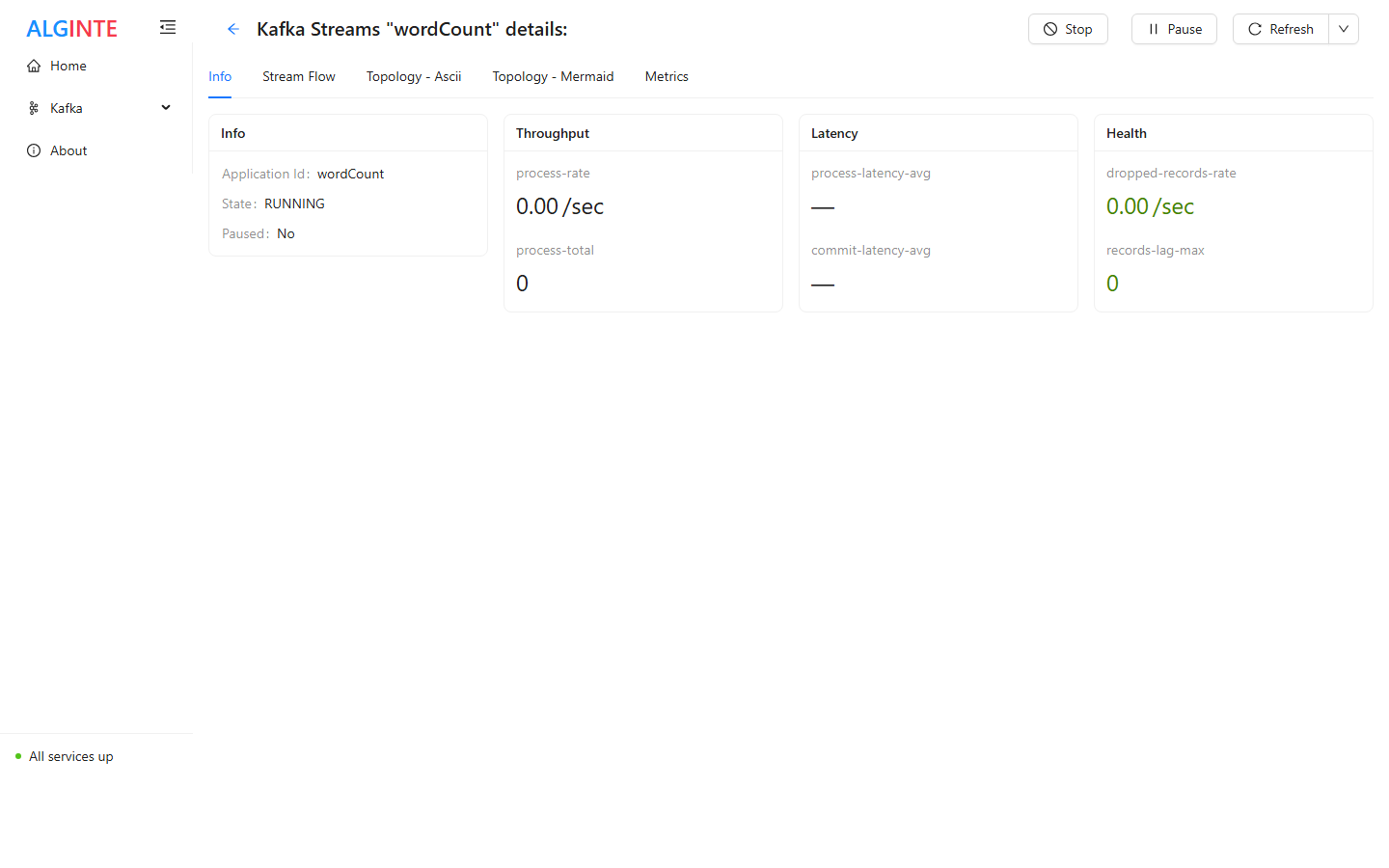
A running stream: state, throughput, and health at a glance; Stop and Pause adapt to the state.
- Info — configuration and state, plus the lifecycle actions.
- State — what the stream is doing right now: restore progress, changelog lag, threads, rebalances and an event timeline (Monitoring).
- Stream Flow — the topology as you designed it, on a read-only canvas, with live per-node telemetry badges on every node.
- Topology - Ascii / Topology - Mermaid — the built Kafka Streams
topology (the
Topology#describe()view), as text or a diagram: useful to see the processor graph, internal topics, and state stores the runtime actually created. - Metrics — runtime metrics for the stream.
Lifecycle actions
On the Info tab:
By default, deleting removes the deployment from Alginte only — source and
sink topics, changelog topics, and committed offsets all remain, so
redeploying the same design under the same
application.id resumes where
processing left off. Checking “Also remove the stream’s state from the
cluster” additionally deletes the stream’s changelog and repartition
topics, its consumer group, its local state directory, and any schema-registry
subjects auto-registered under those topics’ names — a later redeploy then
starts from scratch. Source and sink topics are never touched either way.
If you deploy an
application.id whose state is still on the cluster from
an earlier deployment, Alginte asks before proceeding: Continue on this
state (you’re declaring the design identical to the one that built it) or
Start fresh (remove the listed state, then deploy clean).When a stream shows ERROR
Two failure paths that used to be silent (before 0.7.0) are explicit:- A source topic that doesn’t exist blocks Submit with a message naming the missing topic(s) — create the topic first, or fix the name on the source node.
- A source topic deleted after deploy shows the stream as
ERROR. Kafka Streams cannot recover from a missing source topic (its processing threads shut down permanently), and older versions displayed such a stream asREBALANCINGindefinitely. The state now reflects reality; the fix is to recreate the topic (or correct the design) and Stop/Start the stream.
Restarts and the edition behaviour
Where deployments live differs by edition:- Community — deployments are ephemeral: a restarted Alginte instance comes up with no deployed streams. Your recovery path is the design JSON — Download it while building, then Upload and Submit again after a restart. Processing continues from the cluster-side committed offsets and state; nothing is lost but the redeploy click.
- Professional (not yet available — join the release list) — deployments are durable: persisted next to your cluster and automatically restored, in their last state, when the instance starts.
Scaling out
Deploying the same design (sameapplication.id) on several self-contained
Alginte instances scales it the standard Kafka Streams way — the instances
join one consumer group and split the partitions. Each instance manages its
own deployment; see
Running multiple instances.
From the blog
- KafkaStreams.state() says REBALANCING. Every thread is dead.: why a client whose processing threads have all died keeps reporting REBALANCING, and how to tell that apart from a rebalance that will finish.