
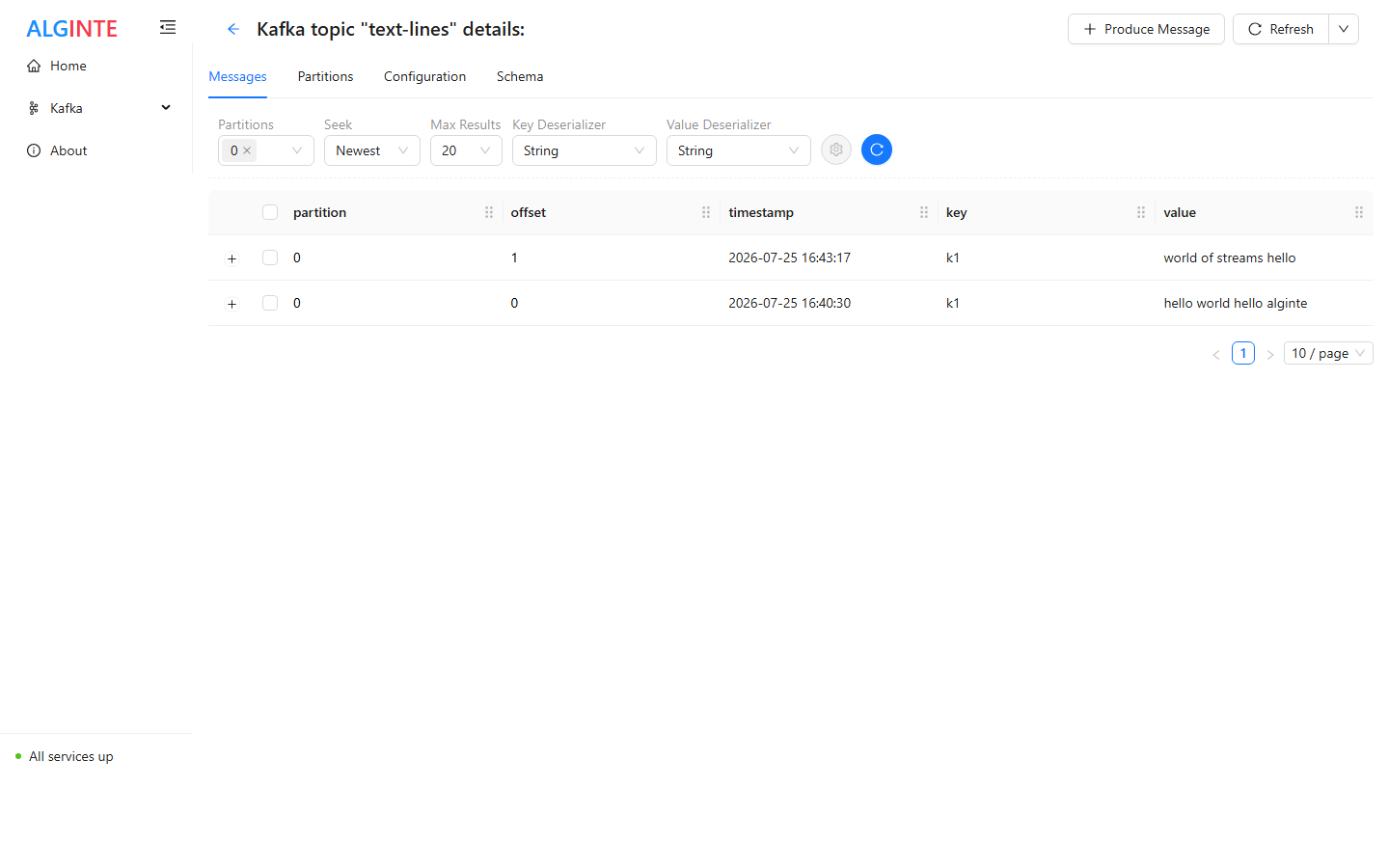
The Messages tab: seek, serde, and partition controls above the record table.
Browsing messages
The toolbar drives what you see:- Key / Value deserializer — how records are decoded: String, Short, Integer, Long, Float, Double, Bytes, JSON, JSON Schema, Avro Schema, Protobuf Schema, or Void for a key that is intentionally absent.
- Partitions — all partitions by default, or a subset.
- Max results — the total cap for a fetch (10 up to 1000).
- Seek type — where in the topic to read:
Live mode streams into the table as records land, with Pause /
Continue and a clear control; the other seek types fetch a page and offer
Reload.
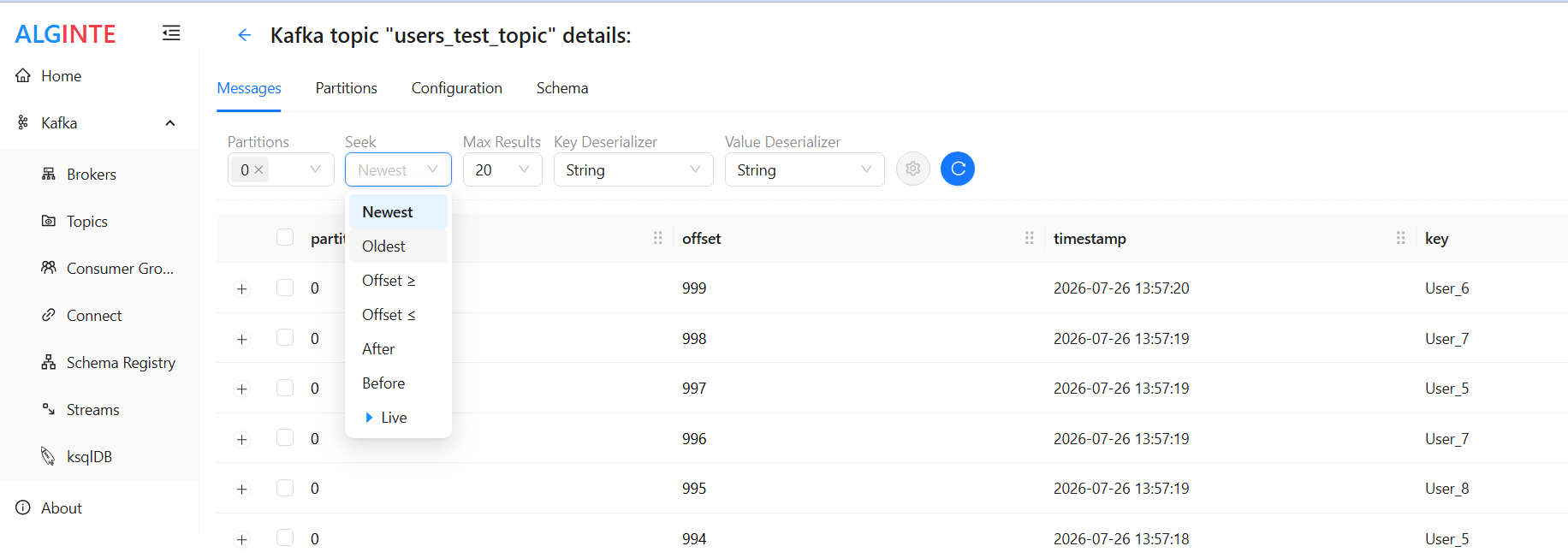
The seven seek types — from point-in-time browsing to a live tail.
On a very large or slow topic a fetch can hit its polling budget before
reaching the requested count — the table then flags the result as
incomplete rather than stalling. Narrow the partitions or lower Max results
and reload.
Compacted topics show fewer records than you asked for
Seeking works in offsets, and on a compacted topic offsets are not records: compaction removes superseded values for a key and leaves gaps behind. So asking for the latest 100 records may return far fewer — everything that still exists in that offset range. Nothing is broken and nothing is hidden; the range simply holds fewer live records than its size suggests. For the same reason the Partitions tab labels its count ≈ messages (“based on offsets difference”) — on a compacted topic the real number is lower. Two related things worth recognizing on compacted topics:- Blank values are real records. A tombstone — a record with a
nullvalue — is how a key is marked deleted. It shows as an empty value cell, and that’s the record, not a decoding failure. - Consumer-group lag reads high. Lag is
latest − committedoffsets, so it counts the gaps too; a group can show lag it will never actually process. See Consumer groups.
Producing a message
Click Produce Message on the topic’s page. The form slides in as a resizable drawer from the right — the page stays usable behind it, so with the Messages tab in Live mode you can watch your own message arrive.- Pick the Key and Value serdes — the same list as browsing, plus
Void for an intentional
null(a compaction tombstone). Numeric and JSON serdes deliberately reject empty input — “I mean null” is Void, never a forgotten field. - Enter the key and value — a full editor with live validation for JSON and schema serdes, a plain input for scalars. Or click Generate Randomly to fill the field with serde-appropriate sample data — handy for quickly exercising a topic or its consumers.
- For a schema serde, pick the Subject — the Schema Registry subject the record is encoded against. The picker filters to subjects whose registered type matches the serde, and a scope switch (Default = topic-prefixed subjects / All subjects) narrows the list.
- (Optional) pick the Schema version. Once a subject is chosen, a Schema version selector lists that subject’s registered versions and defaults to the latest. Choose an older one to produce exactly what a client that has not been upgraded would send — the record is encoded against that version and carries its schema id, so you can prove your consumers still handle it before anything is upgraded. Available since 0.8.0.
- (Optional) expand the collapsed Partition, Timestamp, Headers, or Compression panels to override the defaults (Kafka picks the partition, the broker stamps the time, no headers, no compression).
- Submit — a success toast confirms, and the Messages tab behind the drawer refreshes.
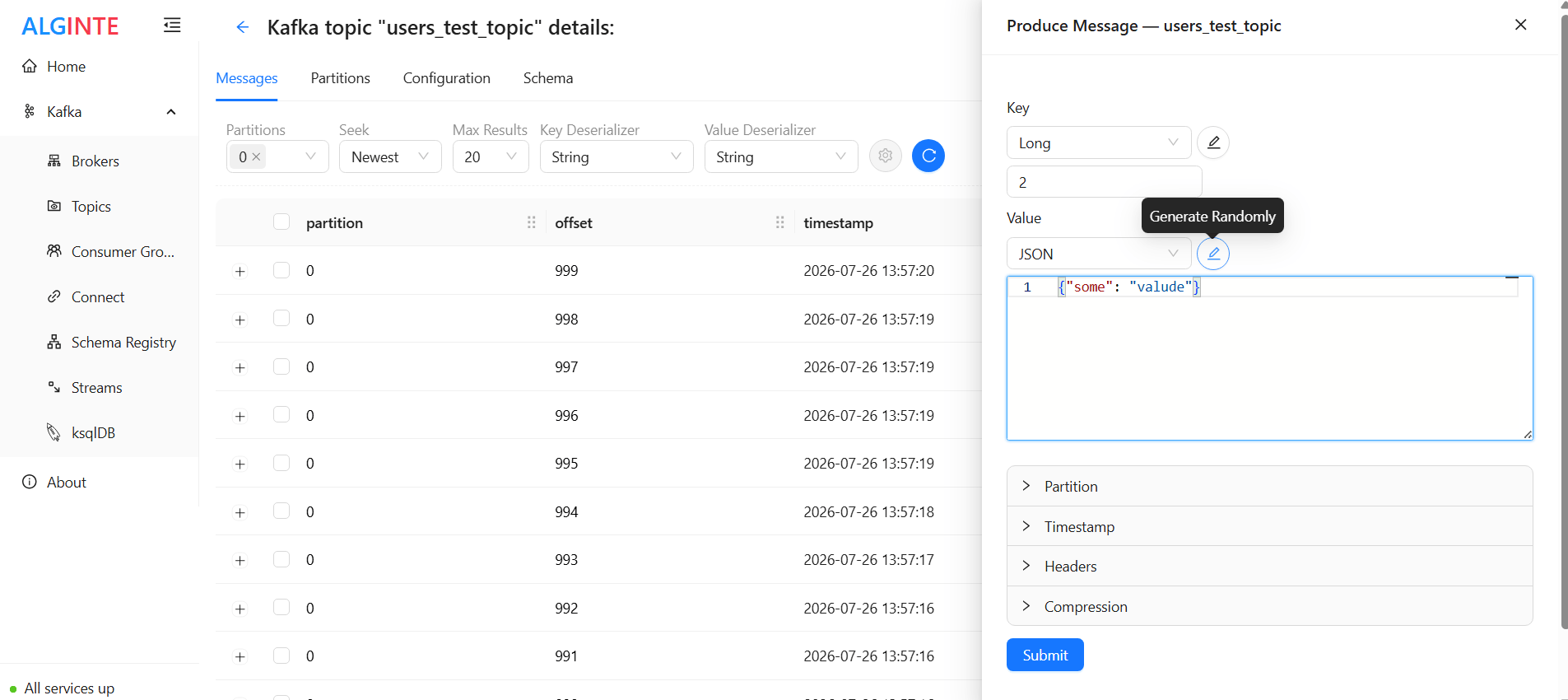
The produce drawer over the Messages tab: serde pickers, the value editor, and the collapsed override panels.
Producing is deliberately permissive: any serde can be produced to any
topic, and a serde that doesn’t match the topic’s registered schema raises
a non-blocking warning rather than a hard stop — the same behaviour as
comparable Kafka UIs. Hard enforcement, where you want it, belongs to
broker-side schema validation.